
Anti-Malware Protection 100% Free
Enhance your PC's security with Web Companion by blocking harmful URLs, scams, and online threats. Protect your info and computer now. Get started by clicking the CONTINUE button below.
- Blocks dangerous websites.
- Blocks dangerous downloads.
- Blocks phishing scam emails.
- 100% free. No trials. No hidden fees.
By clicking the "CONTINUE" button above, I agree to download & install Web Companion and confirm my understanding and agreement to the EULA and Privacy Policy.
How it works in 3 easy steps:
- Click "CONTINUE".
- Install the downloaded file.
- Open Web Companion.
Why Web Companion?

Malicious Website Shield
Automatically block websites with poor reputations or that may contain threats to your PC such as viruses, malware, and other malicious content.

Download Link Scanning
Scan file download hosts to identify corrupt or dangerous content BEFORE they are loaded onto your computer and put your private details at risk.

Phishing Scam Protection
Automatically scan and block risky or untrustworthy links you receive from various sources such as emails, chat messages, social media and others.
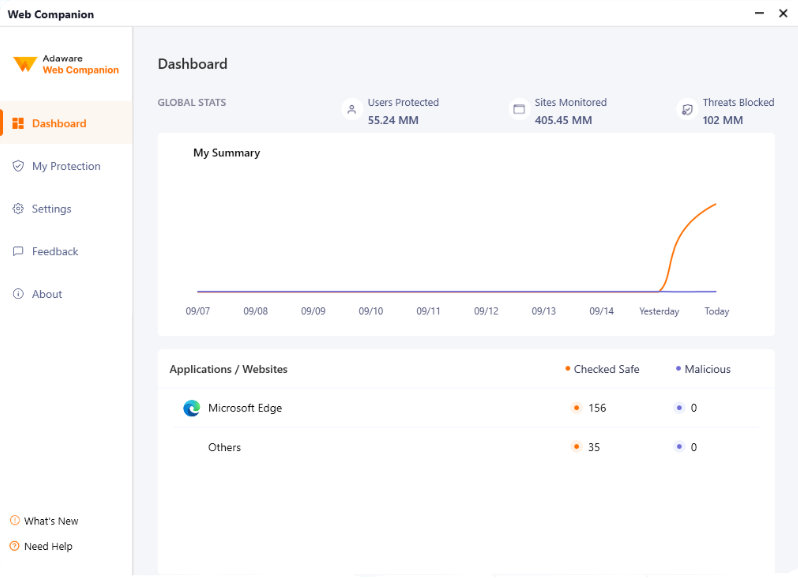
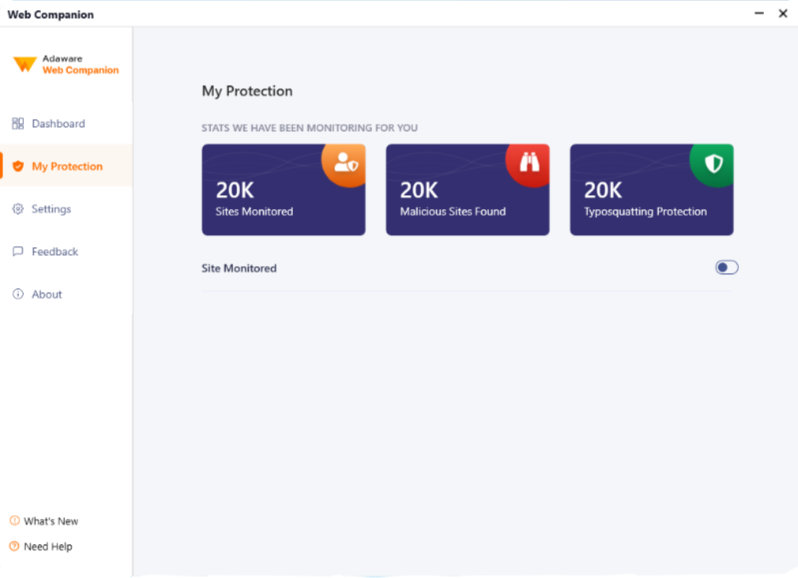
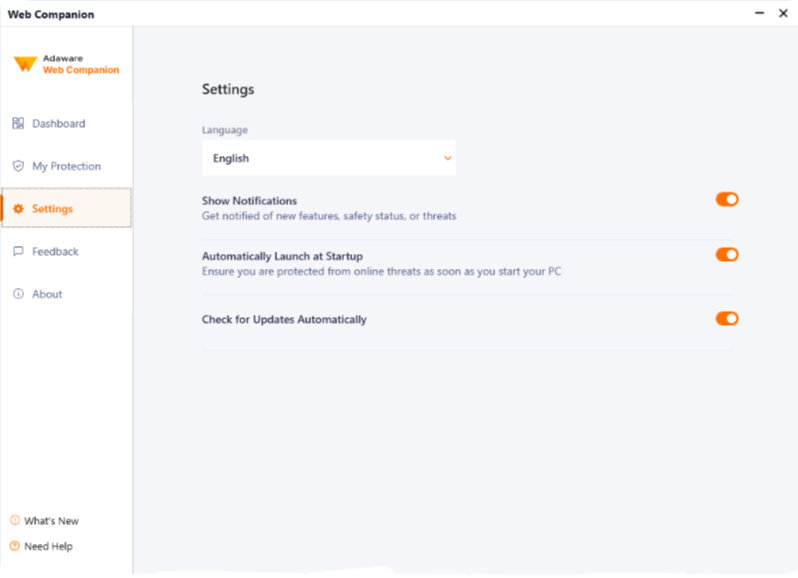
Web Companion Safety Features
Take a closer look at how our app keeps you informed and protected with real-time updates and personalized settings.

Real-Time Trust Alerts
Web Companion alerts you instantly if a website or link from emails, social media, or messages is untrustworthy.

Clear Safety Warnings
You will be able to see a warning page with clear details why the website, URL, downloaded file or email link was detected as unsafe.

Personalized Protection Choices
You'll have options to block or proceed to any website after an alert assesses its safety, ensuring your online security.
By clicking the "CONTINUE" button above, I agree to download & install Web Companion and confirm my understanding and agreement to the EULA and Privacy Policy.
Not All Web Security Apps Are Built The Same.
Browser extensions are great but have their limitations. With Web Companion, you experience complete internet freedom as you benefit from all the advantages of a direct download, including a practically tamper proof installation. Fast downloads, intense personal privacy protection and unprecedented safety are just some of the many reasons why millions of people choose Web Companion.
 WOT Browser Extension |
 Malwarebytes Browser Guard |
 Zone Alarm Web Secure Free |
 Total AV Web Shield |
 Web Companion |
|
|---|---|---|---|---|---|
|
Malware Shield Web Companion automatically verifies and blocks any URL that matches one of the millions of websites that have been identified as containing malicious content such as malware, viruses, and other online threats. |
|||||
|
Download Defense By scanning the download location path, Web Companion is able to detect & notify you of impending malicious file downloads BEFORE they can harm your computer. |
|||||
|
Real-time Link Scanner Get instant feedback when you click links from various sources such as emails, chat messages, social media and many others so you can decide if you want to continue or not. |
|||||
|
Real-time Reputation Alerts Find out if the website you are visiting has a bad reputation or has been actively scamming users out of their personal/private details. |
|||||
|
Free Premium Features Web Companion base features are premium in nature and are offered fully free, with no hidden fees or expiring trial periods. |
|||||
|
Secure Desktop Installation Unlike browser extensions that only protect your default web browser, Web Companion is a secure desktop application that installs locally on your computer so it can protect all your applications simultaneously. |
|||||
| Download |
Frequently Asked Questions
We're here to help!
You may install the Web Companion only on computers running the following operating systems:
- Windows 8, 8.1 (32- & 64-bit)
- Windows 10
- Windows 11
Note. 4.5 or higher version of Microsoft .Net Framework
* Your computer must meet the following system requirements in order to run the application effectively.
Minimum system requirements:
- 1.8 GB available free hard disk space (at least 800 MB on the system drive)
- 800 MHz processor
- 1 GB of memory (RAM)
Recommended system requirements:
- 2.8 GB available free hard disk space (at least 800 MB on the system drive)
- Intel CORE Duo (1.66 GHz) or equivalent processor
- Memory (RAM): 1 GB for Windows XP and 1.5 GB for Windows Vista, Windows 7, Windows 8 and Windows 10
By clicking the "CONTINUE" button above, I agree to download & install Web Companion and confirm my understanding and agreement to the EULA and Privacy Policy.